Podbean | How to Customize the Header Image and Background Image of My Podbean Site
Modified on: Wed, 8 Mar, 2017 at 10:27 PM
Step 1: Log into your Dashboard.
Step 2: Go to "Layout"->"Themes". Click on the edit icon to upload the header image and background image.
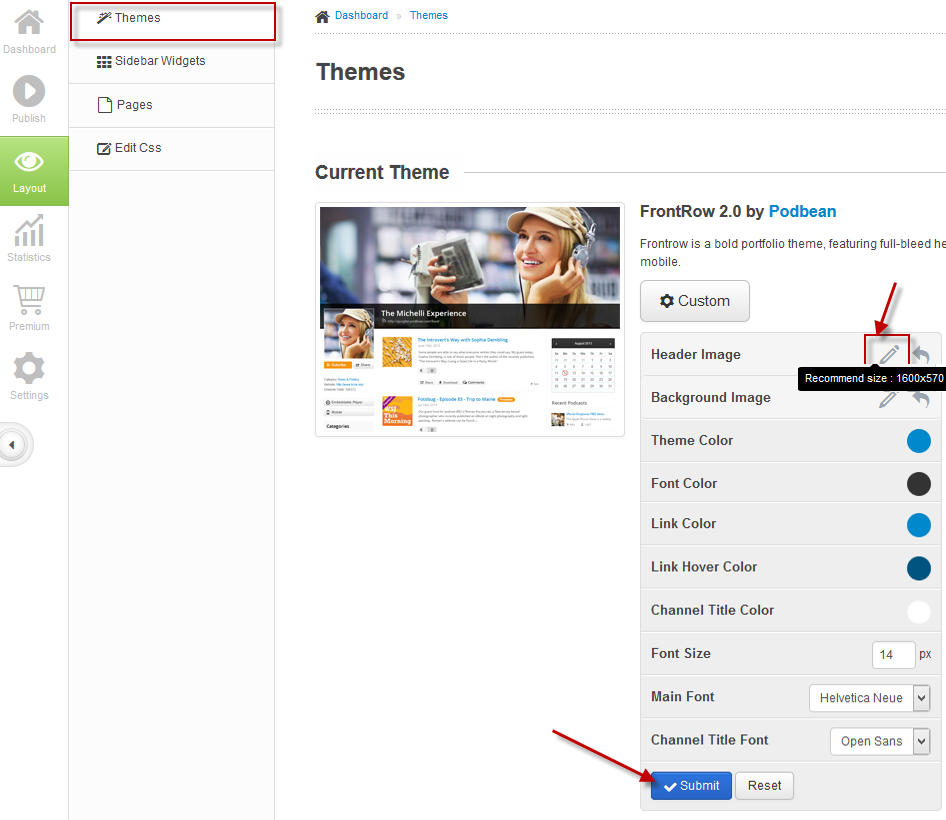
You can always turn back to the default image by clicking on the Reset icon.
Did you find it helpful?
Yes
No
Send feedback Sorry we couldn't be helpful. Help us improve this article with your feedback.
